Play the infinite game.
6 MINUTES READ

Step into my digital universe
Jeff P.
Client
Starkey Hearing
Date
Role
Design
Website
Helping hearing-aid wearers set up devices confidently and stay in control day to day
At Starkey, I worked on the My Starkey companion app—helping turn it from “a remote control on your phone” into a clearer, more supportive experience for setup, device control, and wellness features.
I partnered with Product, Engineering, and Content through requirements, design, handoff, and QA. My main ownership areas were the onboarding + pairing + permissions experience, wellness/health tracking flows, and the Android design system.
As hearing aids became smarter, the app needed to do more than adjust volume
Hearing aids were quickly expanding into a connected ecosystem: streaming, wellness tracking, intelligent listening features, and remote support. But the companion app experience often didn’t match that complexity.
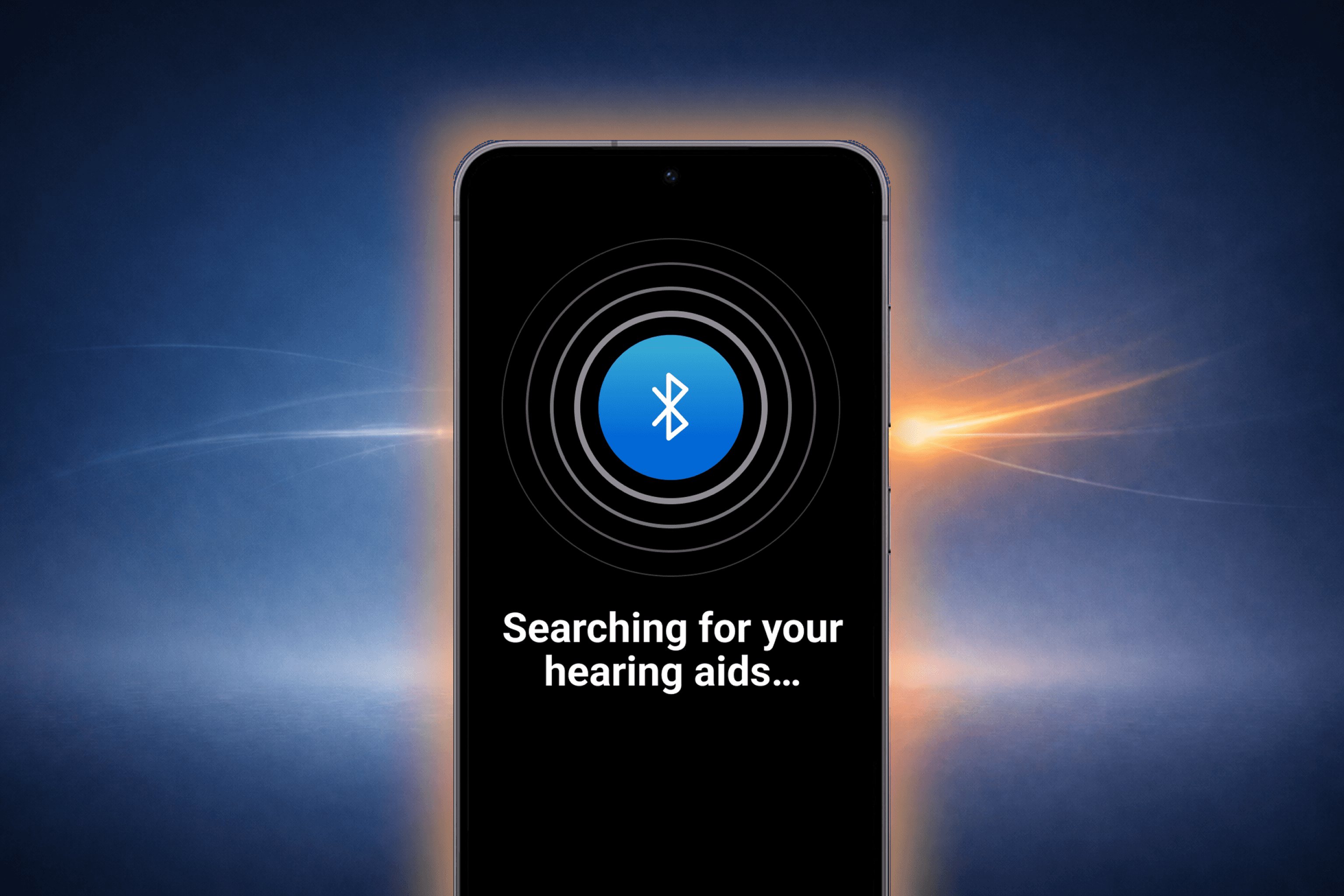
Setup was high effort, permissions were confusing, and connectivity issues could interrupt daily life—often pushing users back to a clinic or caregiver for help.
A clear goal: reduce setup friction, build trust, and support a scalable platform
The redesign direction aimed to:
Make pairing and streaming feel more reliable
Provide clearer guidance during setup and recovery moments
Improve readability and reduce cognitive load
Support a broader platform vision: intelligent features, wellness, and remote help
From my side, success meant onboarding and key workflows felt predictable, understandable, and recoverable—especially for users under stress.
Designing with clinicians, research, and engineering constraints in mind
We used a mix of inputs: product requirements, clinician feedback, prior learnings from the Thrive app, subject matter experts, and user research (including interviews and usability testing).
Process-wise, we started with user flows, moved quickly into wireframes and prototypes, then iterated closely with Engineering and QA—especially around platform differences and edge cases. I also owned the Android component system to keep UI patterns consistent and shippable.
Three failure moments shaped the onboarding and connectivity experience
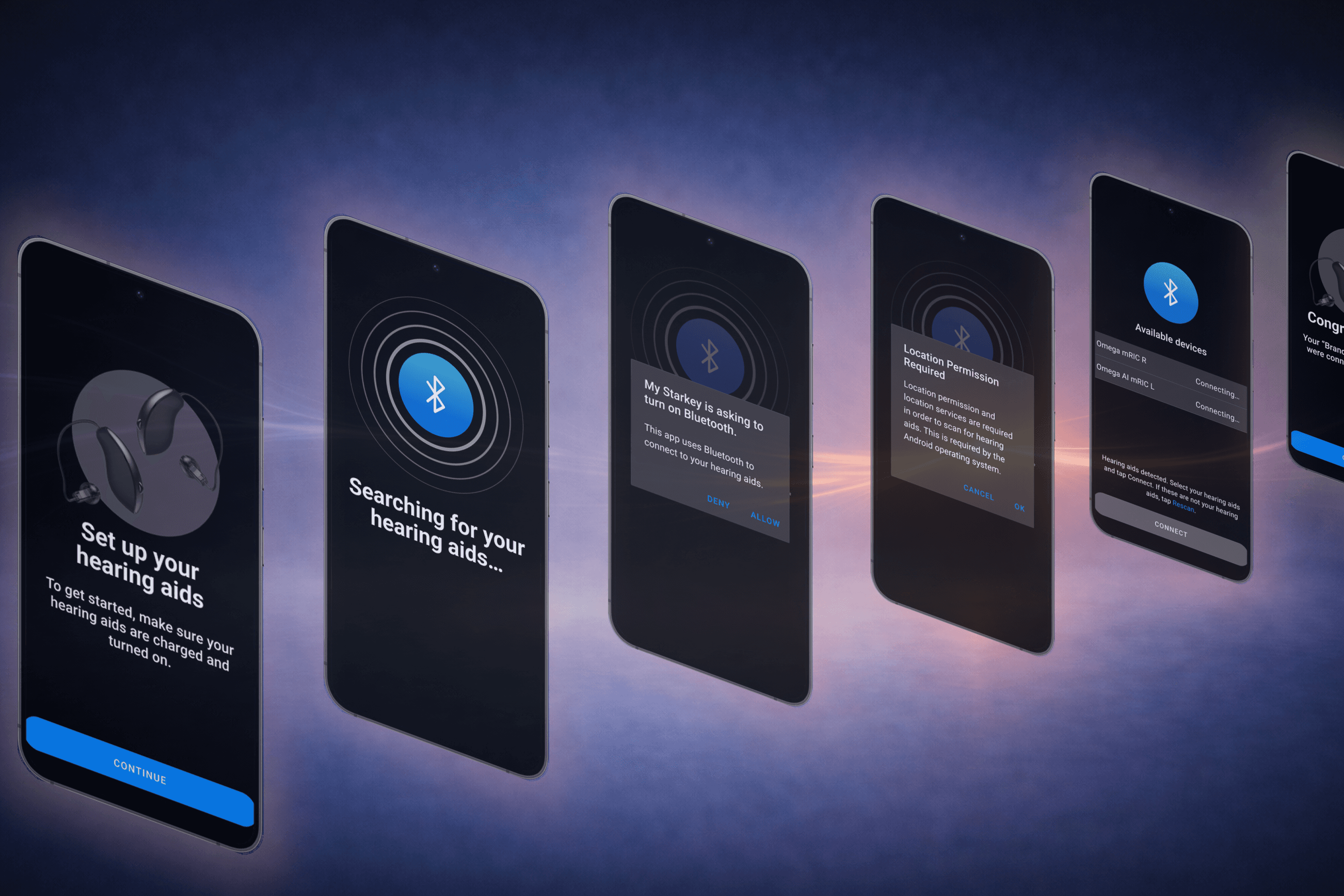
iOS pairing happens outside the app—and users think they did something wrong
On iOS, pairing can require leaving the app and navigating deep into Settings → Accessibility. Users often assumed the app would handle it, then felt unsure when they had to jump to system screens.
To reduce drop-off, we designed step-by-step guidance that matched OS screens, clear “what’s happening” context, strong success states, and recovery paths.
Permissions feel high-stakes when the value isn’t clear
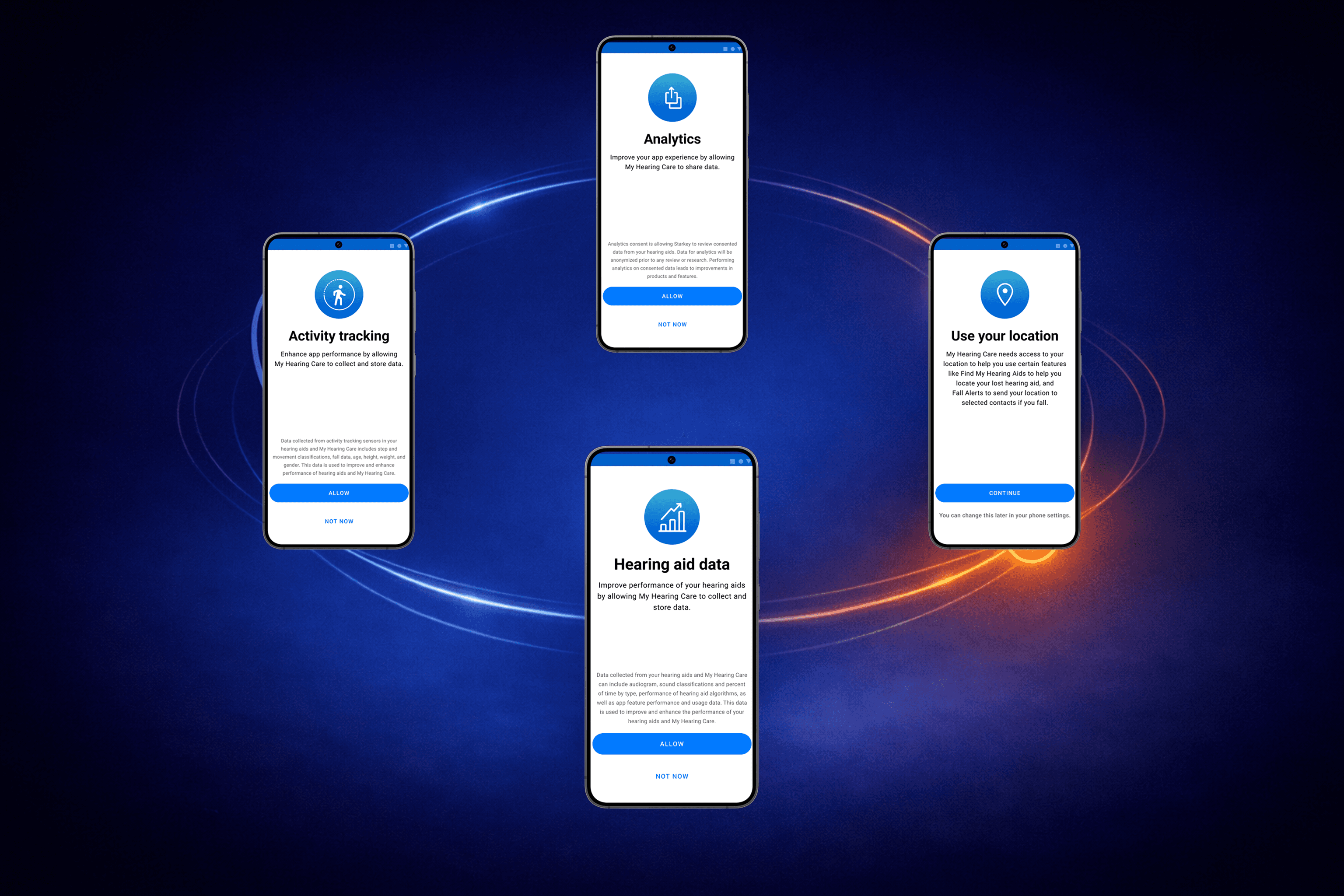
Users faced a chain of system prompts. Without plain-language rationale, people hesitated—or denied something that broke setup.
We improved sequencing, added pre-permission explanation, reduced self-blame with clearer microcopy, and lowered early friction (including the ability to proceed without account creation at first).
Connectivity can break later—so recovery needs to be designed, not improvised
Bluetooth and streaming reliability can degrade over time, especially after OS updates. We supported re-pairing and troubleshooting with clearer guidance, expectation-setting, and support resources.
Key decisions I drove: platform-native design, low-anxiety onboarding, and understandable wellness
Android needed to feel like Android, not a ported iOS experience
I pushed for a Material-first direction—using Android-appropriate navigation, components, dialogs, back behavior, and settings handoffs. This reduced friction for Android users and made the experience feel familiar from the start.
Onboarding had to prioritize calm and momentum over shortest-path speed
For pairing and permissions, we designed for clarity: guided steps, visible progress, plain language, and strong “what to do next” moments when something went wrong.
Wellness needed to be readable at a glance—not another complex dashboard
I shaped wellness tracking around simple summaries, recognizable mental models (progress and trends), and optional drill-down. Accessibility and legibility guided the defaults.
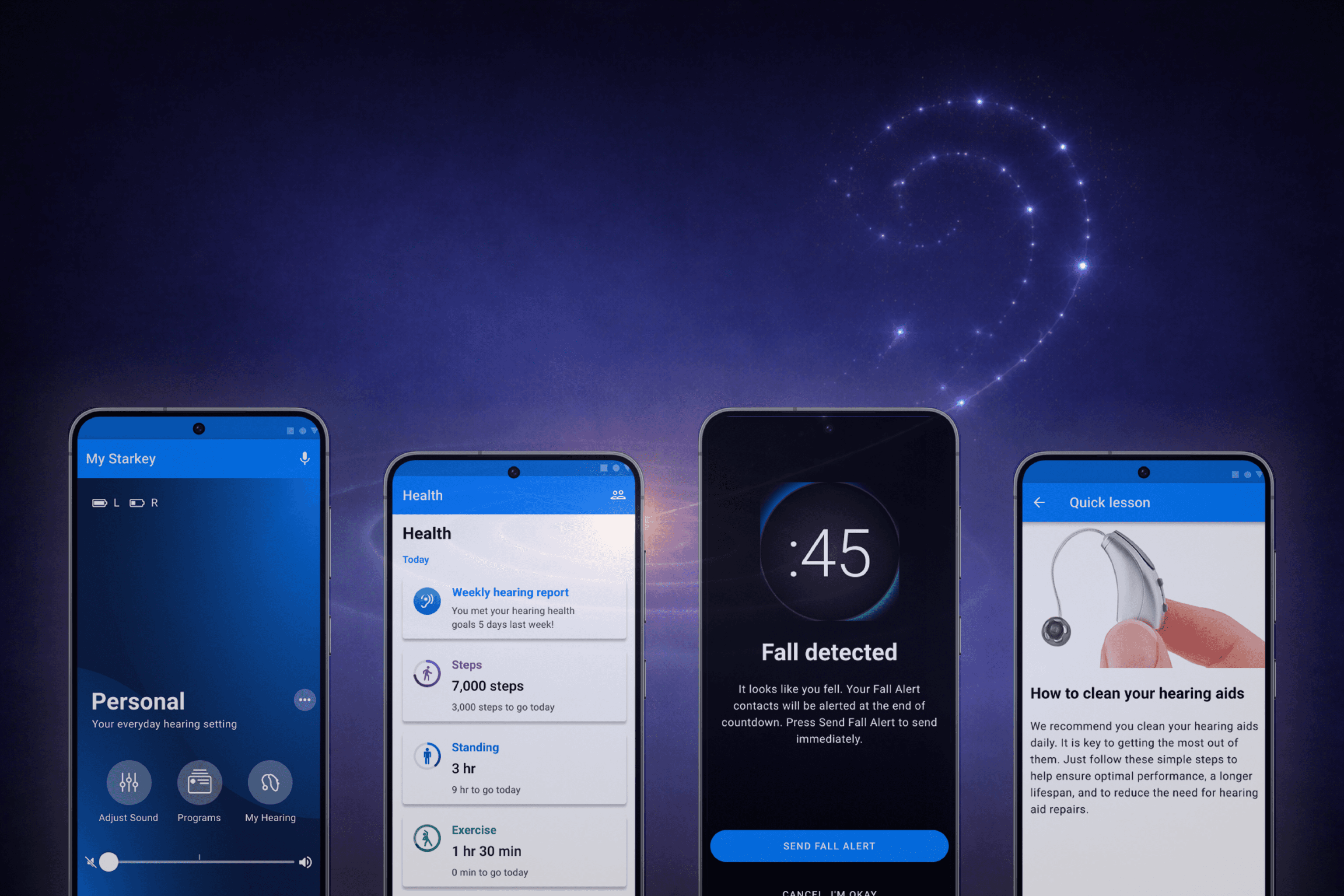
Outcomes: high usability scores and strong perceived value in clinical research
Publicly shared research on the completed My Starkey app + Genesis AI hearing aids reported:
SUS 82.0 (n=43), described as top-tier usability and high likelihood to recommend
90%+ (n=35) rated listening-intent selection as beneficial
Research inputs included 100+ users and multiple rounds of usability testing
App-store sentiment appeared mixed by platform, but with meaningful review volume—useful directional feedback for iteration.
(These outcomes are from Starkey’s published materials; included here as externally reported results.)
What this project changed about how I design: recovery-first, permission-as-trust, and accessibility as the baseline
This work reinforced that accessibility is not a checklist—clarity and legibility are core product features in medical contexts.
It also made “designing for failure and recovery” a default. In connected-device ecosystems, Bluetooth, OS updates, and permissions shape the experience as much as UI does.
Finally, it sharpened my focus on emotional states. When hearing fails, users need reassurance, clear next steps, and a sense of control—not more settings.
The impact in a glance
Area | Result |
|---|---|
Usability | SUS 82.0 (n=43) reported in published clinical research |
Feature value | 90%+ (n=35) reported listening-intent benefit |
Core UX ownership | Onboarding + pairing + permissions; wellness tracking; Android design system |
Design approach | Recovery-first flows; readable, confidence-building UI; Material-first Android direction |
Next Projects